
Mark a gift as received
We can't see transfers, so you mark when the money arrives. And remind anyone who hasn't sent it yet.
3 min readUpdated 18 October 2026
In this guide
In a nutshell
- In Gifts, in the Gifts given tab, press Received when the money arrives.
- If it hasn't arrived, Remind sends the guest an email, at most twice. It comes with Elegante and Único.
When a guest chooses a gift on your site, the pledge appears in Gifts, in the Gifts given tab, as To confirm. The money goes straight to you, so we don't know when it arrives. You confirm it.
At the same moment, you get an email from us with who gave, what, the amount and their message. It happens for every gift, every contribution to a fund and every free amount. It goes to the address in Definições, Notifications, or to your login email if that is empty. You can also turn it off there, under Gift received.
- 1
Open the Gifts given tab
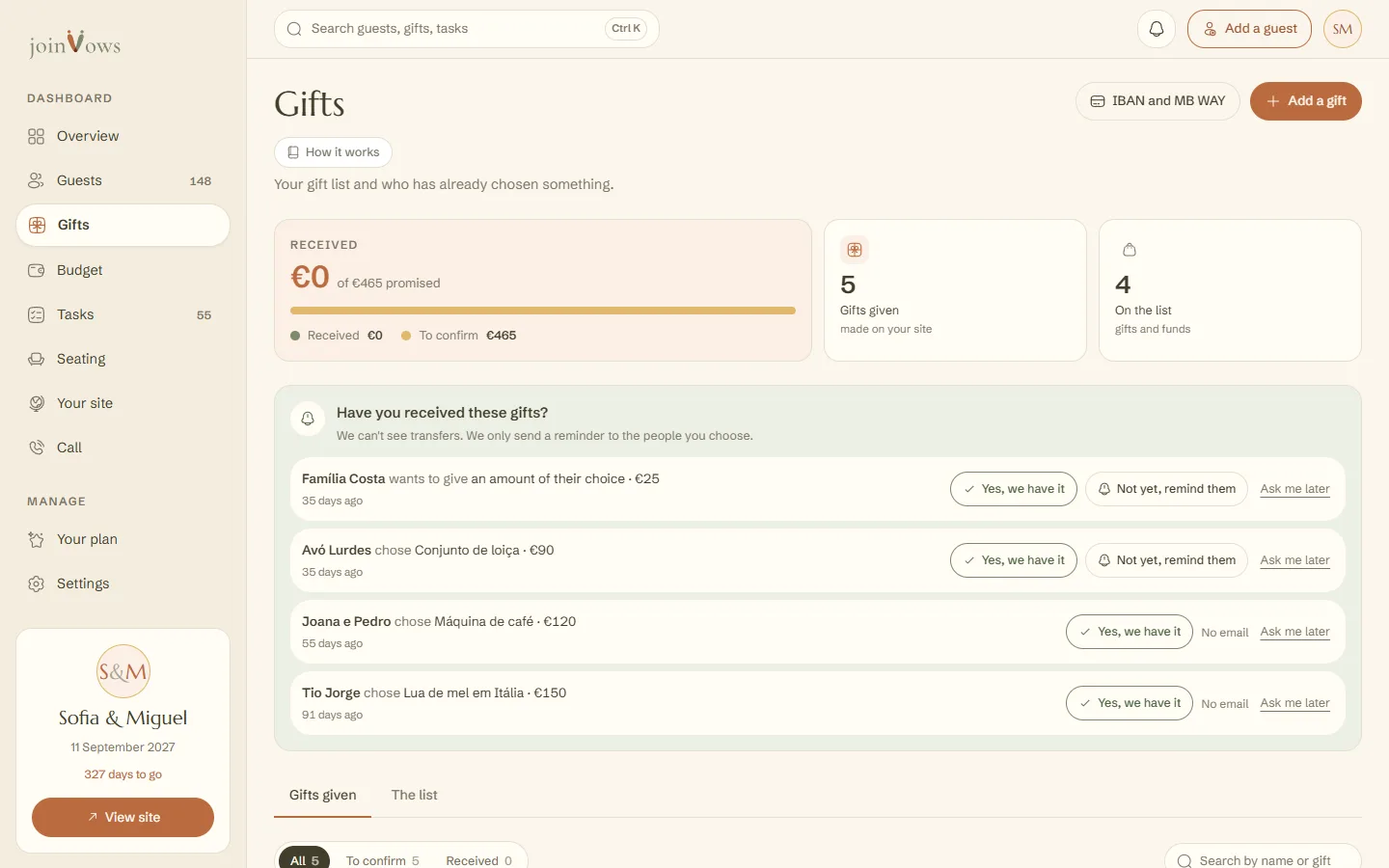
Each row shows who gave, what, the amount and their message, if any. Use the To confirm filter to see only what's left.
- 2
Press Received
The pledge changes to Received and the amount adds to the total at the top. If you get it wrong, press Undo.
When we ask you
Two weeks after each pledge, and again in the last week before the wedding, the top of Gifts asks Have you received this gift?. Answer Yes, we have it, Not yet, remind them or Ask me later (we ask again in a week).
Remind a guest
The Remind button sends the guest an email with the gift they chose and your payment details. It only goes out when you press it. We never send reminders on our own.
- At most 2 reminders per pledge.
- At least 14 days between one reminder and the next.
- Only to people who left an email. Without one, talk to the person directly.
- It comes with Elegante and Único. On Essencial the button isn't there, and Gifts shows one line to change plan.
FAQ
Do we get an email when someone chooses a gift?
Yes, straight away, one email per pledge. It says what was promised, not what was paid, so check your account before marking it received.
Does the guest know when we mark it received?
No. Marking it received only changes your list. We don't send the guest anything.
A guest changed their mind about a gift. How do I free it up?
In The list, tap the three dots on the gift and choose Make available again. Other guests can choose it again.
Did this guide help?
Don't have a site yet?
Create yours in two minutes. Free until you decide to publish.
Create our site (opens in a new tab)