
Funds: several guests towards one goal
A fund collects contributions from several guests towards something bigger, like your honeymoon.
2 min readUpdated 18 October 2026
In this guide
In a nutshell
- In Gifts, press Add a gift and choose Fund.
- Type the name and the goal in euros. Each guest chooses how much to give.
A normal gift is given by one person. A fund is open to everyone: each guest contributes the amount they like, and the site shows how much has been promised so far.
- 1
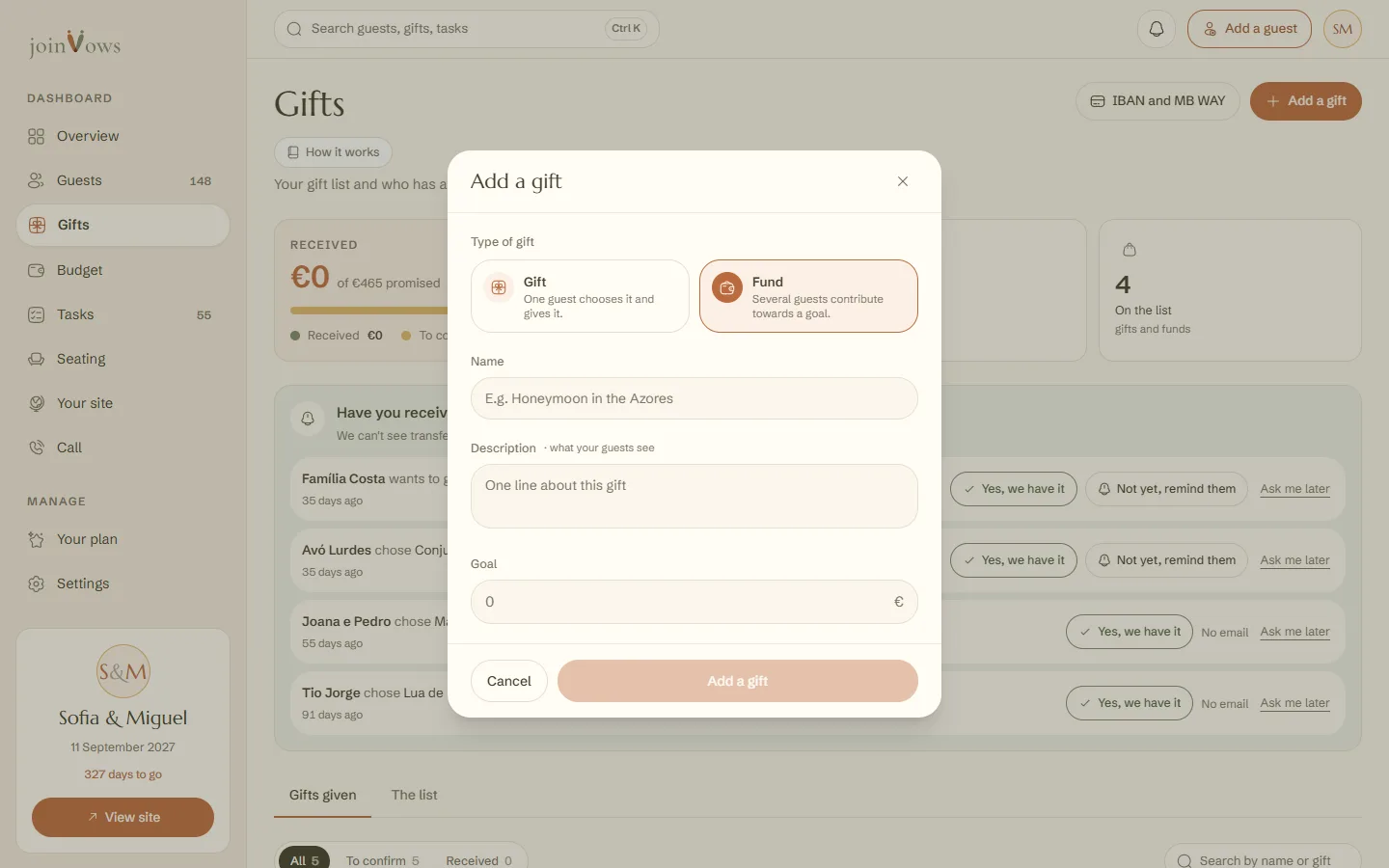
Press Add a gift and choose Fund
It's in Gifts, at the top of the page.
- 2
Type the name and the goal
For example, 'Honeymoon in the Azores', with a goal of €1500. A fund needs a goal. Add a line of description if you like.
What your guests see
- A bar with how much has been promised, the goal and how many people have contributed.
- Quick amounts of €25, €50, €100 and €200, or another amount, from €1.
- Once they confirm, your IBAN or MB WAY to send you the amount.
In Gifts, in the The list tab, each fund shows the total promised, the goal and the number of contributions. Each contribution also appears in Gifts given, so you can mark it received when the money arrives.
FAQ
Does the fund close when it reaches the goal?
No. It stays open and guests can keep contributing.
Can I turn a gift into a fund?
Yes, in Edit, as long as nobody has chosen it. After the first pledge, the type can't change.
Did this guide help?
Don't have a site yet?
Create yours in two minutes. Free until you decide to publish.
Create our site (opens in a new tab)