
Share your site with guests
Send the link on WhatsApp, copy it, and where to find these buttons.
2 min readUpdated 18 October 2026
In this guide
In a nutshell
- After publishing, press Send on WhatsApp. The message comes already written, with the link.
- For email, text messages or another app, press Copy the link and paste it wherever you like.
Guests can only open the site once you publish it. Until then, only you can see it.
Where to find the buttons
- Right after paying, on the Share with your guests page.
- On the Overview, in the Your site is live. row, during the first week. Share opens WhatsApp with the message ready.
- Always in Your plan, in the menu, at the top, where it says It's live.
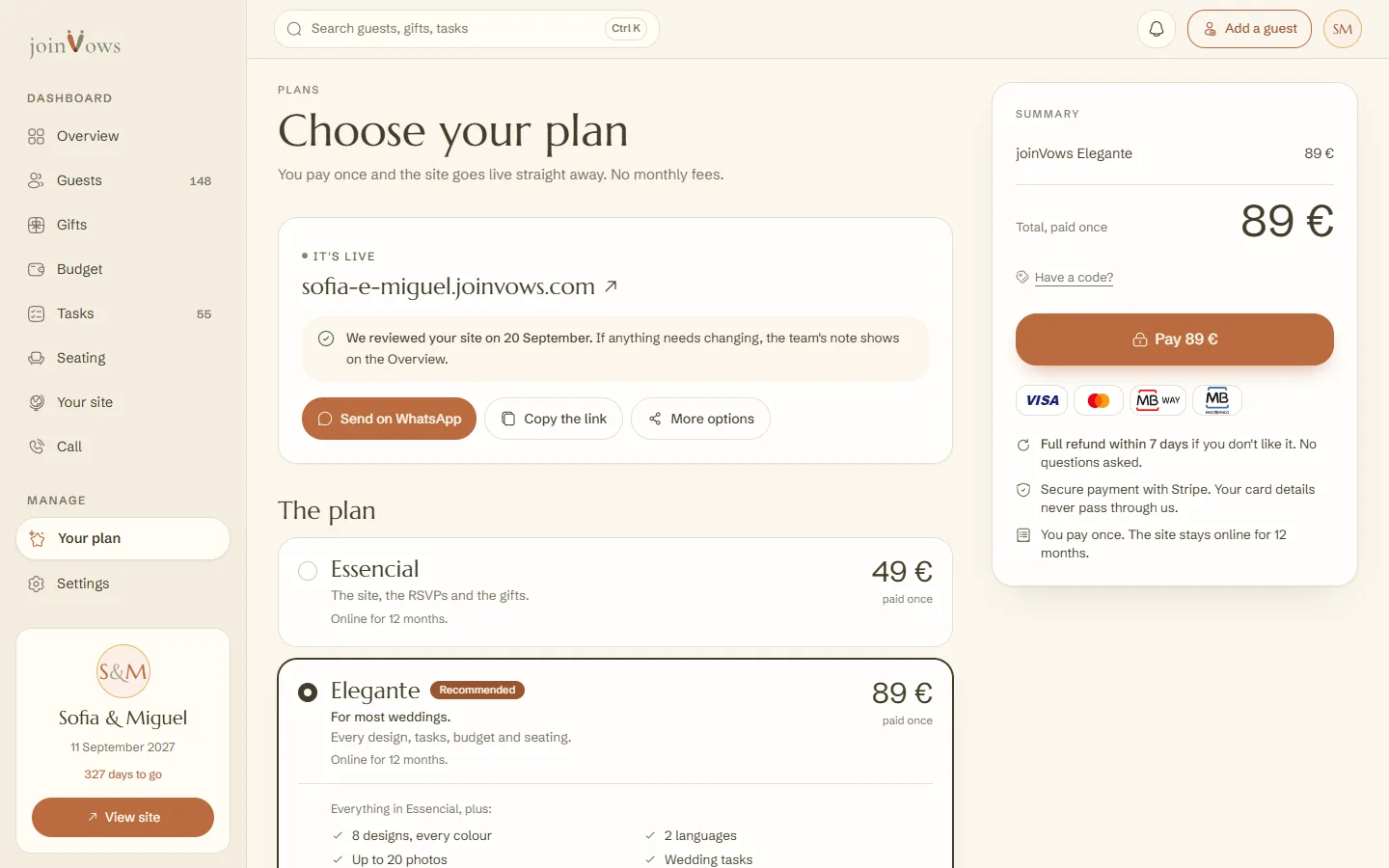
Three ways to send it
- 1
Send on WhatsApp
This opens WhatsApp with the message ready: the site link and a request to reply. You can change the text before sending.
- 2
Copy the link
This copies the site address. Paste it into an email, a message or your paper invitation.
- 3
More options
On a phone, this opens the phone's own share list, with all your apps. It only shows on devices that have one.
On the Overview, the Your site card also has a Share button, which opens WhatsApp with a short message.
FAQ
What language is the WhatsApp message in?
In your dashboard's language. If the dashboard is in English, the message is in English. You can always change it before sending.
Can anyone with the link see the site?
Yes, anyone with the link can open the site. But it doesn't show up on Google, so only people who get it from you will find it.
Can I share before paying?
No. Before you publish, the site is a draft that only you can see.
Did this guide help?
Don't have a site yet?
Create yours in two minutes. Free until you decide to publish.
Create our site (opens in a new tab)