
RSVPs: who can reply, plus-ones and the deadline
The three choices that decide how guests reply on your site.
3 min readUpdated 18 October 2026
In this guide
In a nutshell
- In the editor, open the RSVP part.
- Choose who can reply, whether there are plus-ones, and the deadline.
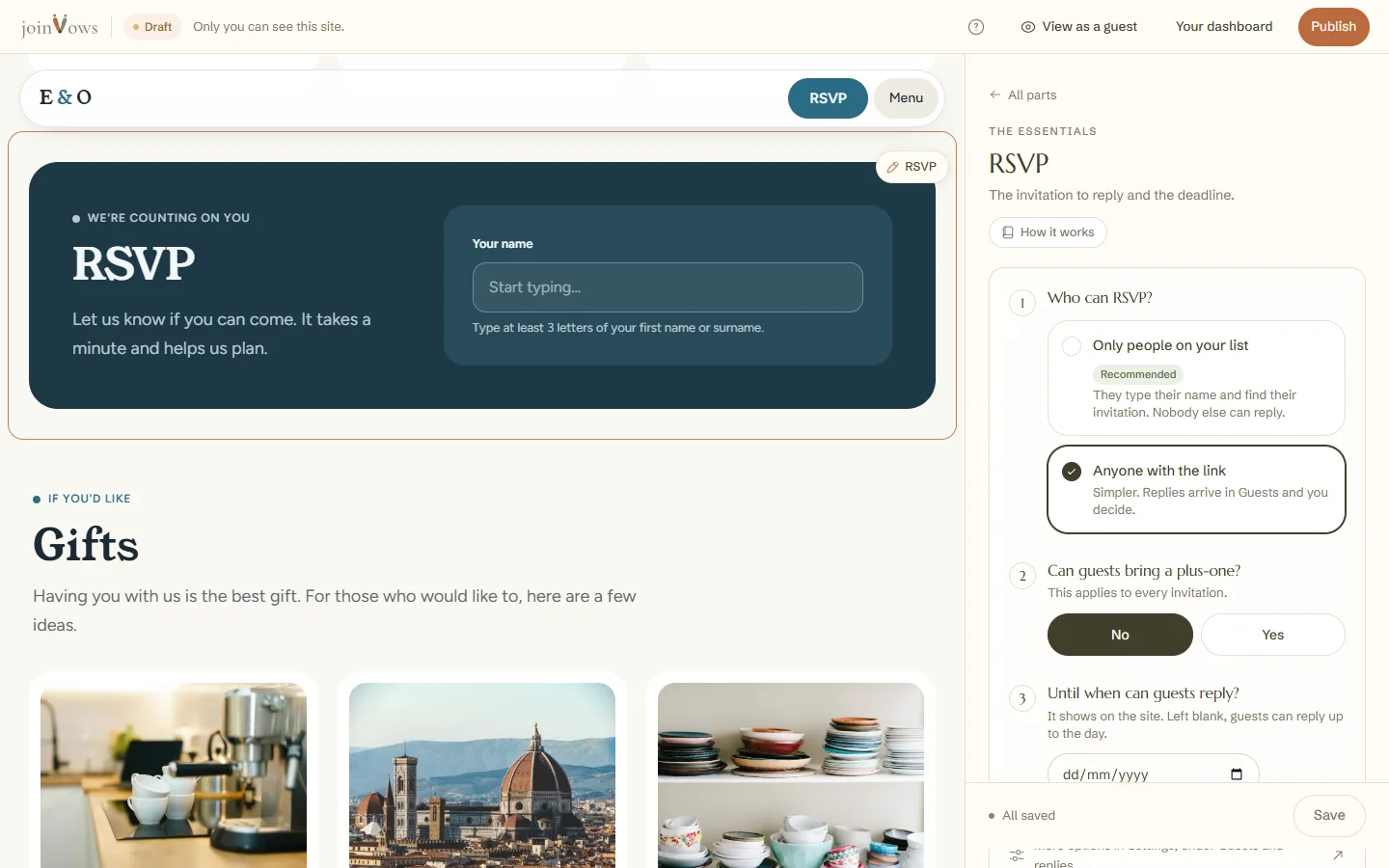
In the editor, open the RSVP part. You answer three questions and the form on your site changes straight away.
1. Who can reply
- Only people on your list (recommended): each guest types their name and finds their invitation. Nobody else can reply.
- Anyone with the link: simpler. Whoever opens the link registers, and the replies arrive in Guests for you to decide.
2. Plus-ones
Choose No or Yes. With Yes, say how many people each invitation can bring, from 1 to 5. It applies to every invitation. To change just one invitation, open the details of someone on it in Guests, press More details and choose under Plus-ones.
3. The reply deadline
The date shows on the site. Left empty, guests can reply until the wedding day. If you change the wedding date, the deadline moves by the same number of days, if it is still open, and never lands after the day.
To give one invitation a different deadline, change Reply by in the details, under More details. That deadline can't be after the wedding day either.
When you are done, press Save at the bottom of the panel. It saves the three answers and the words of this part in one go. The other options are in Settings, Guests and replies.
FAQ
Can someone who is not on the list reply?
With Only people on your list, no. With Anyone with the link, yes, and the reply reaches Guests for you to decide.
How many plus-ones can each invitation bring?
From 1 to 5, as you choose. The number applies to every invitation. In an invitation's details, under More details, you can give it a different number, from 0 to 5.
What if we set no deadline?
Guests can reply up to the wedding day.
Did this guide help?
Don't have a site yet?
Create yours in two minutes. Free until you decide to publish.
Create our site (opens in a new tab)