
The seating PDF for your venue
The room, table by table, the catering and the list for the entrance, in one file ready to send.
3 min readUpdated 24 October 2026
In this guide
In a nutshell
- In Seating, press Download.
- Choose PDF for the venue (A4), Large PDF (A3) or Spreadsheet. The file downloads straight away.
- It is on the Elegante and Único plans.
The venue and the caterer usually ask for the seating plan a few weeks before. We make the PDF from your plan, with names and dietary needs already filled in.
- 1
Press Download
At the top of Seating.
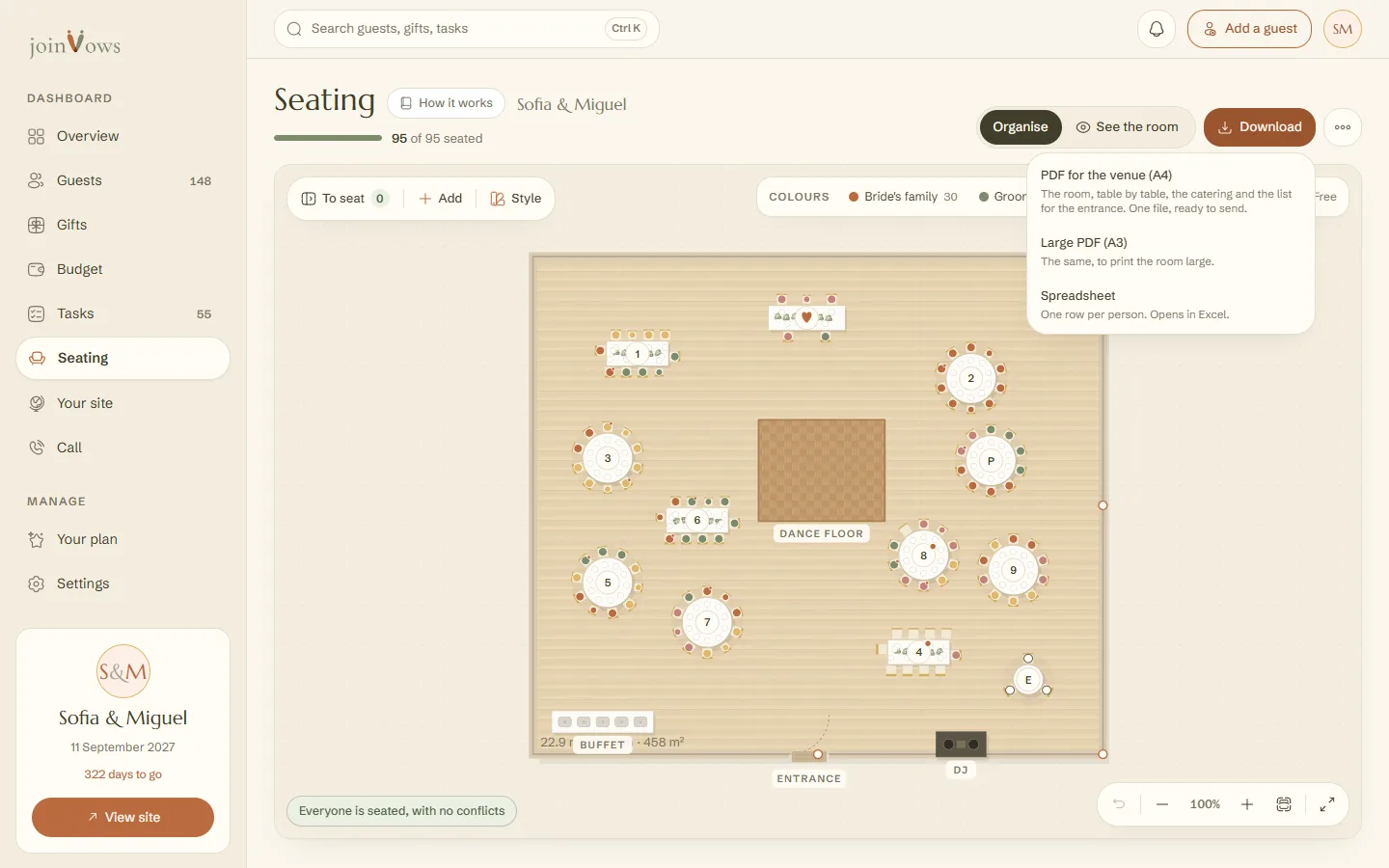
- 2
Choose the size
PDF for the venue (A4) to send by email. Large PDF (A3) to print the room large. The file downloads straight away, with no print window.
What the PDF has
- The room: the floor plan with the tables, in the style you chose. If anyone still has no table, a note at the top says who.
- Table by table: who sits at each table, with dietary needs.
- Catering: the totals of adults, children and dietary needs.
- List for the entrance: each person and their table, in alphabetical order.
- Spreadsheet: instead of the PDF, a file with one row per person that opens in Excel.
Only need the numbers, the dietary needs and the list of who is coming, on a portrait page? In Guests, press PDF for the venue. With a seating plan, that list also goes table by table. See Export your guest list.
FAQ
We changed a table after sending the PDF. What do we do?
Download a new PDF. It always comes from the plan as it is at that moment.
Does the PDF show people without a table?
Yes. Confirmed guests who have no seat yet are listed in a note at the top of the first page, so nobody is forgotten.
Did this guide help?
Don't have a site yet?
Create yours in two minutes. Free until you decide to publish.
Create our site (opens in a new tab)