
Export your guest list
Download your list as a file that opens in Excel, or as a tidy PDF for the venue and the caterer.
2 min readUpdated 18 October 2026
In this guide
In a nutshell
- At the bottom of the list in Guests, press Excel per person.
- The file downloads straight away and opens in Excel or Google Sheets.
Venues and caterers usually ask for the final list. In Guests you can download it at any time, with one row per person, because caterers count plates, not invitations.
- 1
Go to the bottom of the list
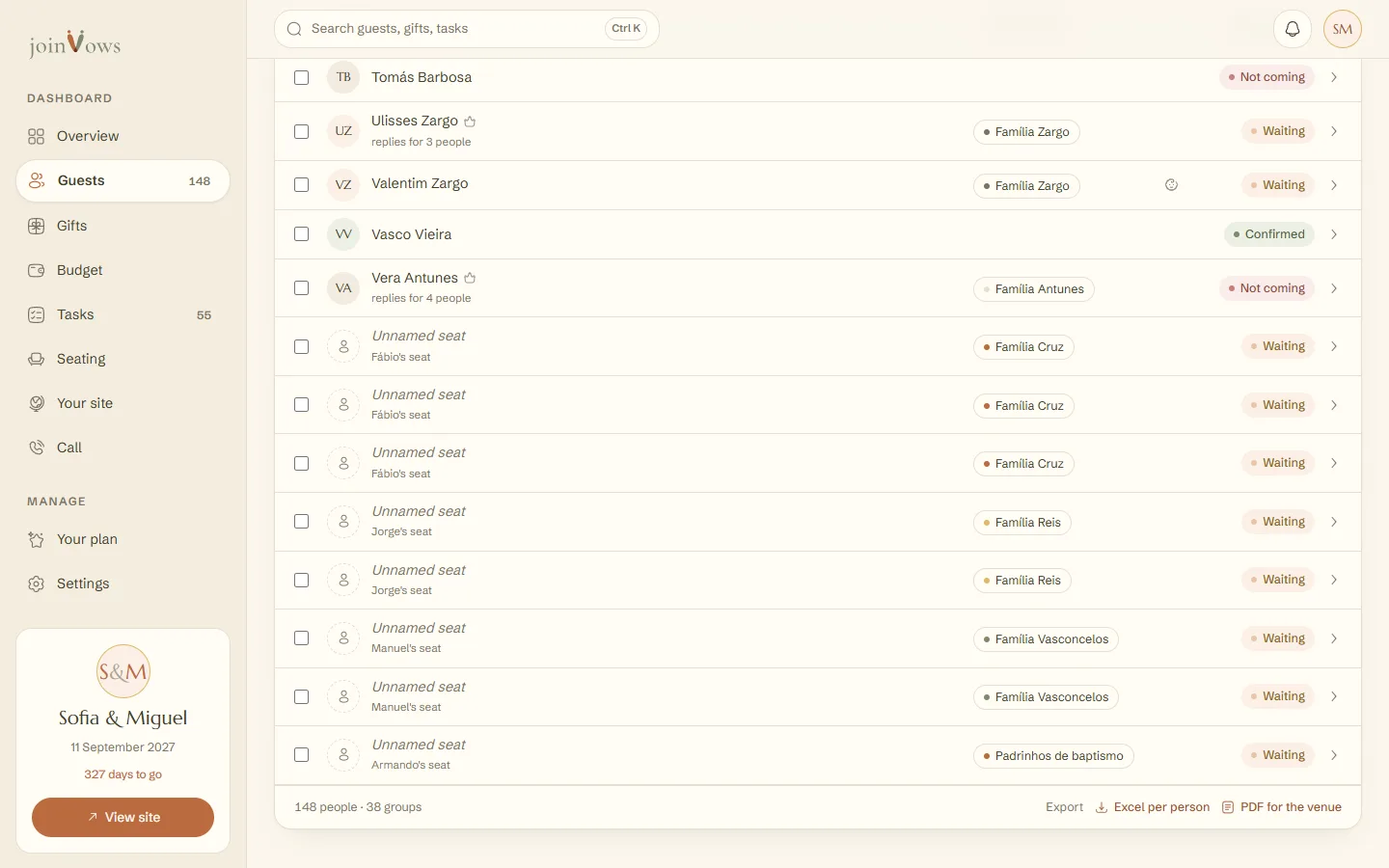
In Guests, scroll to the bottom of the list. Next to Export is Excel per person.
- 2
Press Excel per person
The file downloads named guests- followed by your site's address. It opens in Excel with accents intact.
What's in the file
One row per person, sorted by invitation, with these columns: Name, Surname, Group, Category, Status, Coming, Child, Dietary needs and Email. The headings come out in your dashboard language.
Need the tables for your venue? On the Elegante and Único plans, the PDF with the seating plan comes from Seating.
The PDF for the venue
Next to Excel per person is PDF for the venue. It opens an A4 document in a new page with what the venue and the caterer ask for. Press Print or save as PDF and, in the browser window, choose Save as PDF.
- Your names, the date and the place of each part of the day.
- How many adults and children are coming and the total number of meals.
- Dietary needs and allergies, each with how many people and who they are.
- The list of who is coming, each person with their dietary need. With a seating plan, it goes table by table, with the seat. Without one, it goes in alphabetical order.
FAQ
How do I open the file in Google Sheets?
In Google Sheets, use File, Import and choose the file you downloaded.
Can I import this file again?
Yes. In the import, choose the right columns. Invitations that already exist are left as they are, with no duplicates.
Did this guide help?
Don't have a site yet?
Create yours in two minutes. Free until you decide to publish.
Create our site (opens in a new tab)