
The cover: your names, the date and the countdown
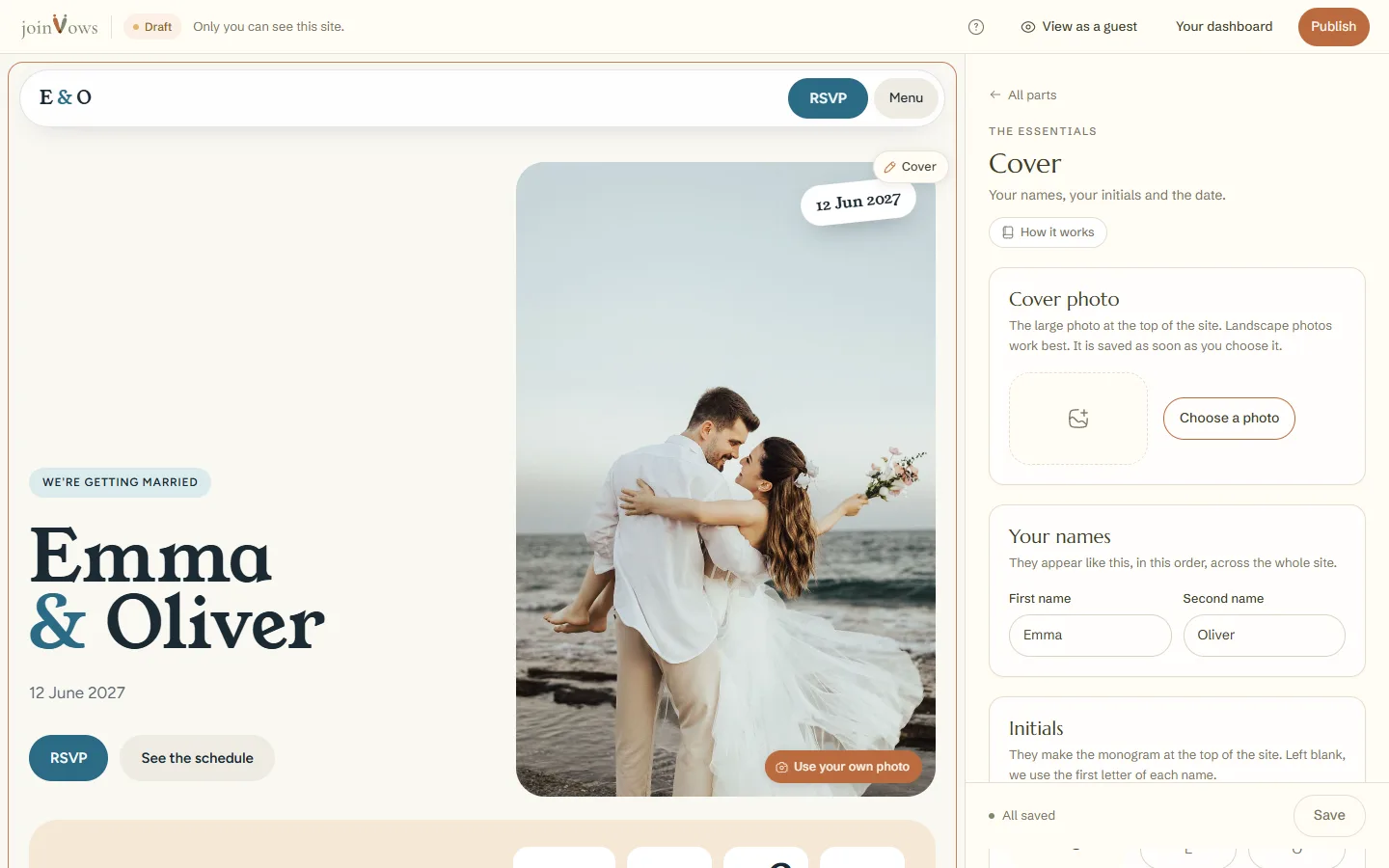
The top of your site: names, initials, date, countdown and the line above your names.
2 min readUpdated 18 October 2026
In this guide
In a nutshell
- In the editor, tap your names at the top of the site. The Cover opens.
- Change the names, initials or date and press Save.
- The countdown is switched on and off with Show the countdown.
The cover is the first thing guests see. It is always on the site and can't be hidden.
Change the cover
- 1
Open the Cover
In the editor, tap your names on the site, or Cover in the list of parts.
- 2
Names and initials
Your names appear in this order across the whole site. The Initials make the monogram, up to two letters each. Left blank, we use the first letter of each name.
- 3
The date and the countdown
Choose the Wedding date. With Show the countdown on, the site shows the days to go. Without a date, there is no countdown.
- 4
Save
Press Save. The cover changes on the site straight away.
- The Line above the names is optional, for example "We're getting married".
- In designs with a cover photo, the Cover photo is at the top of the same panel. See how to change photos.
- Changing your names does not change your site's address.
FAQ
We don't have a date yet. Can we publish?
You can. The date can stay blank: with your names in, the cover already counts as ready and says Date not set yet. Without a date there is no countdown, and the times in The day show without the day. When you know it, add it in the You haven't set your wedding date yet. line, among the Overview's notices, or in the notifications bell. It's also in Settings, Profile and couple. The moments in The day move onto that date, at the same time.
Which time zone are the times shown in?
In the one chosen in Settings, Profile and couple, Time zone. Weddings in Madeira or the Azores should pick theirs.
Did this guide help?
Don't have a site yet?
Create yours in two minutes. Free until you decide to publish.
Create our site (opens in a new tab)