
Remind guests who haven't replied
See who hasn't replied yet and send them the site link on WhatsApp, with the message already written.
2 min readUpdated 10 October 2026
In this guide
In a nutshell
- In Guests, open the Waiting tab.
- Open each person's details and press Send on WhatsApp, at the top.
- WhatsApp opens with the message already written. Press send.
The way to remind guests is the WhatsApp message we prepare in each person's details. It has your site link and asks them to RSVP there.
- 1
See who's missing
In Guests, press See who is missing in the dark box, the Waiting tab, or no reply at the top.
- 2
Open their details
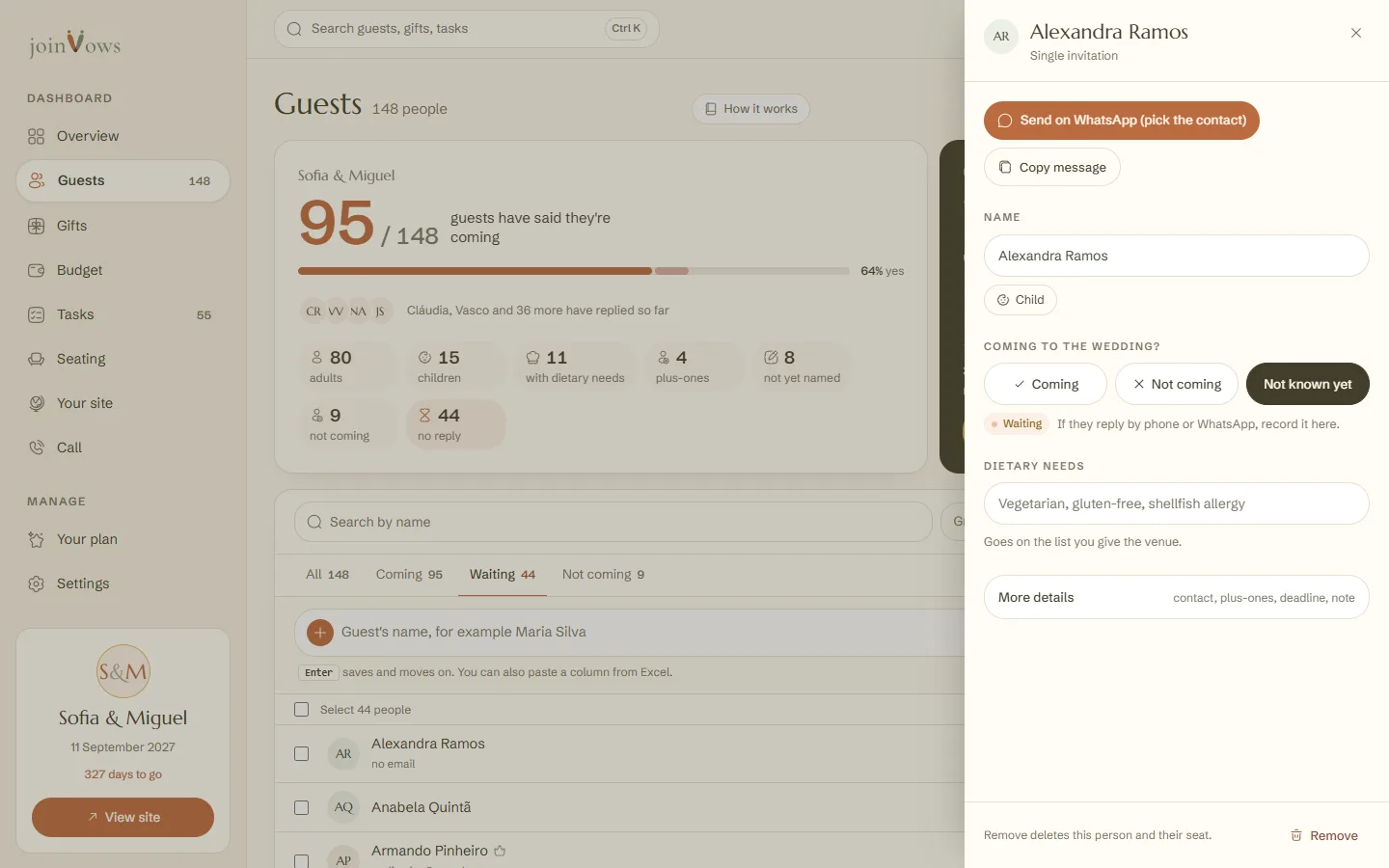
Tap the person. At the top of their details are Send on WhatsApp and Copy message.
- 3
Send it on WhatsApp
If their phone is in their details, WhatsApp opens your chat with them. Without a phone, the button says Send on WhatsApp (pick the contact) and you choose who to send it to. The message says: "Hi Ana! This is our wedding website: (your link). Please RSVP there." You can change it before sending.
What about email?
We don't send email reminders to guests. Most lists arrive with names only, no emails, and a WhatsApp message from you gets read sooner. The only email reminder is in Presentes, for someone who chose a gift and hasn't sent it yet.
FAQ
Can I send the message to several people at once?
The message goes one person at a time, with each person's name. For a WhatsApp group, press Copy message once, paste it in the group and take out the name.
Does the guest have to search for their name on the site?
If you chose that only people on your list can reply, yes: they type their name and find their invitation. With anyone with the link, they reply straight away.
Did this guide help?
Don't have a site yet?
Create yours in two minutes. Free until you decide to publish.
Create our site (opens in a new tab)