
Follow the replies
Who's coming, who isn't and who hasn't replied yet, at the top of Guests.
3 min readUpdated 6 October 2026
In a nutshell
- Replies from the site go into Guests on their own.
- The big number says how many have said they're coming, out of everyone on the list, plus-ones and unnamed seats included. The Coming, Waiting and Not coming tabs show who is who.
- If someone replies by phone, record it in their details.
When a guest replies on your site, the reply goes straight into Guests. We don't send an email for each reply: everything is on this page. Refresh the page to see the latest ones.
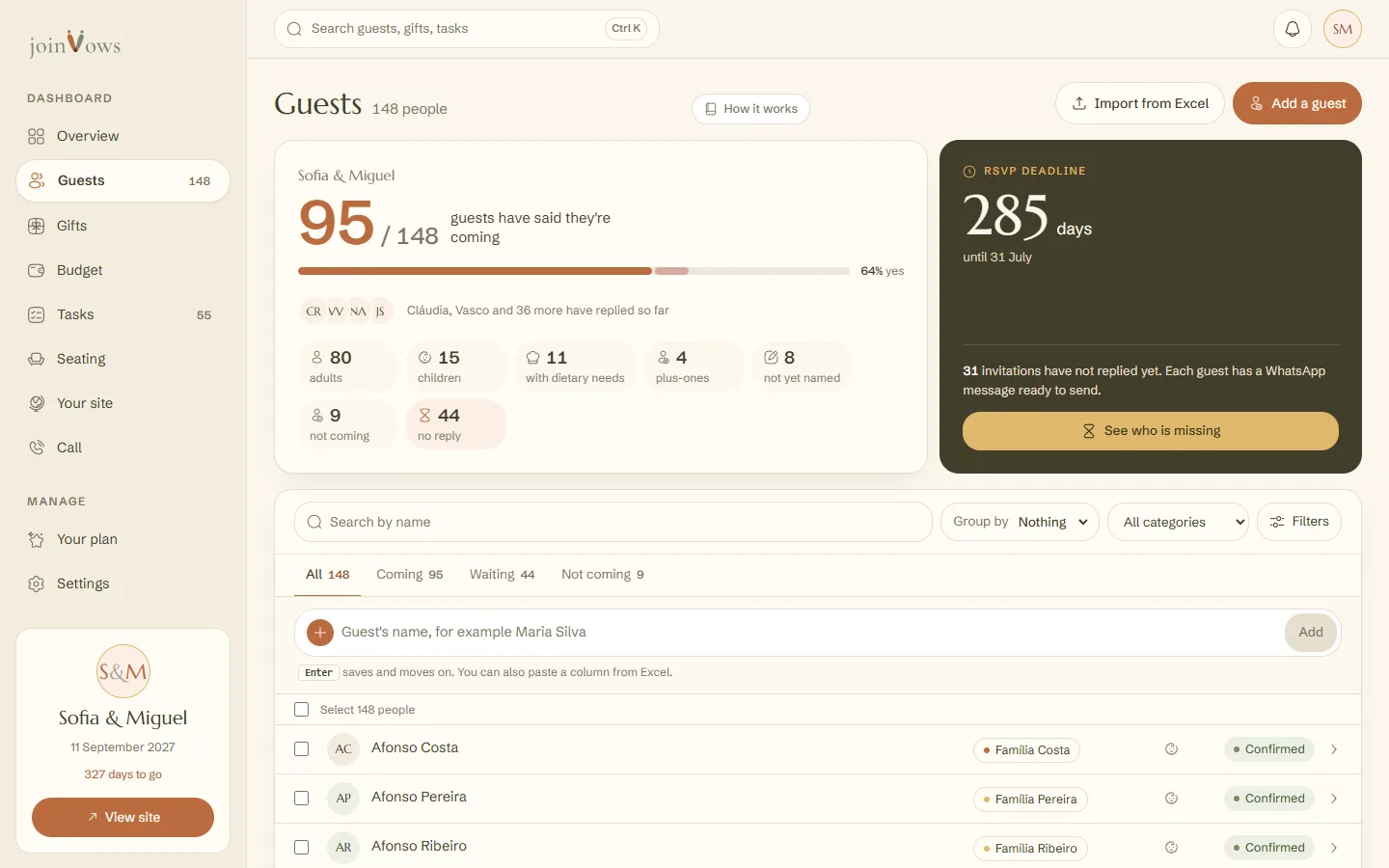
What the top tells you
- The big number is how many people have said they're coming, next to the total number of guests. The bar shows the share who have said yes.
- N this week counts the confirmations in the last 7 days. The initials next to it belong to the people who replied most recently.
- Underneath: adults, children, people with dietary needs, plus-ones, who isn't coming and who has no reply. Press no reply to see only those people.
- The dark box shows the days left until the RSVP deadline. With no deadline, it shows Set a reply deadline.
Find who you're looking for
- The All, Coming, Waiting and Not coming tabs filter the list and show how many are in each.
- Search by name finds a person as you type.
- Filters shows only people with dietary needs, children, plus-ones, seats not yet named or people with no email.
- Group by sorts the list by Group, Category or Status.
Replies by phone or WhatsApp
- 1
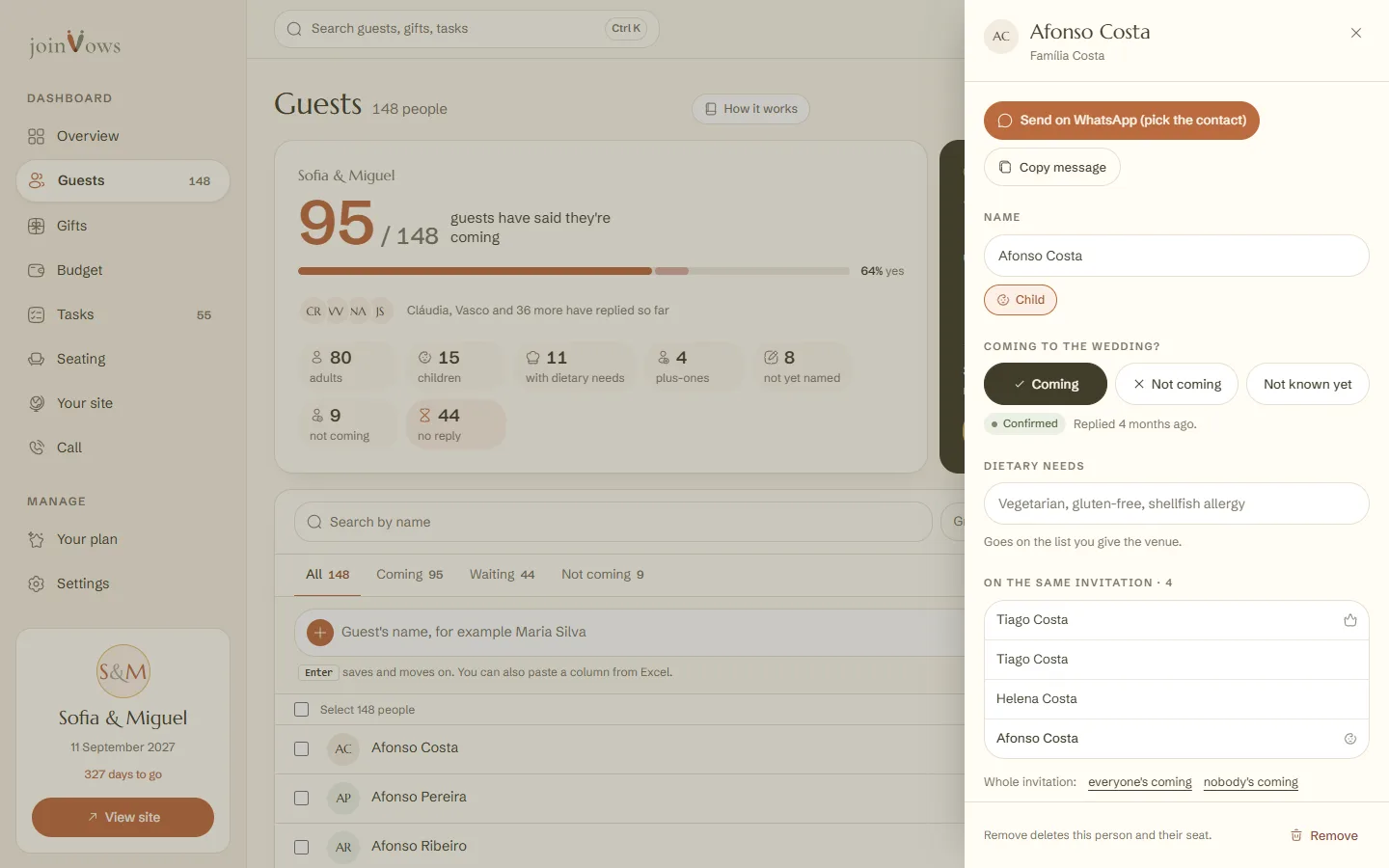
Open the person's details
Press their name in the list.
- 2
Choose the reply
Under Coming to the wedding?, press Coming, Not coming or Not known yet. It's saved straight away.
FAQ
Do I get an email when someone replies?
No. Replies are in Guests, with the count always up to date.
Can a guest change their reply?
Yes, on the site, until the reply deadline. You can also change it in the person's details at any time.
What is a seat not yet named?
It's a seat on an invitation whose person has no name yet. The name may come with the reply, or you can type it in the details. To add one, open the details of someone on the invitation and press Add a seat without a name.
Did this guide help?
Don't have a site yet?
Create yours in two minutes. Free until you decide to publish.
Create our site (opens in a new tab)