
Change the dashboard language
Use the dashboard in Portuguese or English, without changing your guests' site.
1 min readUpdated 6 October 2026
In a nutshell
- Use the PT | EN switch.
- On a computer it is at the bottom of the dashboard menu. On a phone, in Settings.
- It changes the dashboard and the emails we send you. Your guests' site does not change.
- 1
On a computer
At the bottom of the dashboard menu, under Help and guides, press PT or EN.
- 2
On a phone
Tap More in the bottom bar, open Settings and then Account and privacy. Under Dashboard language, tap PT or EN.
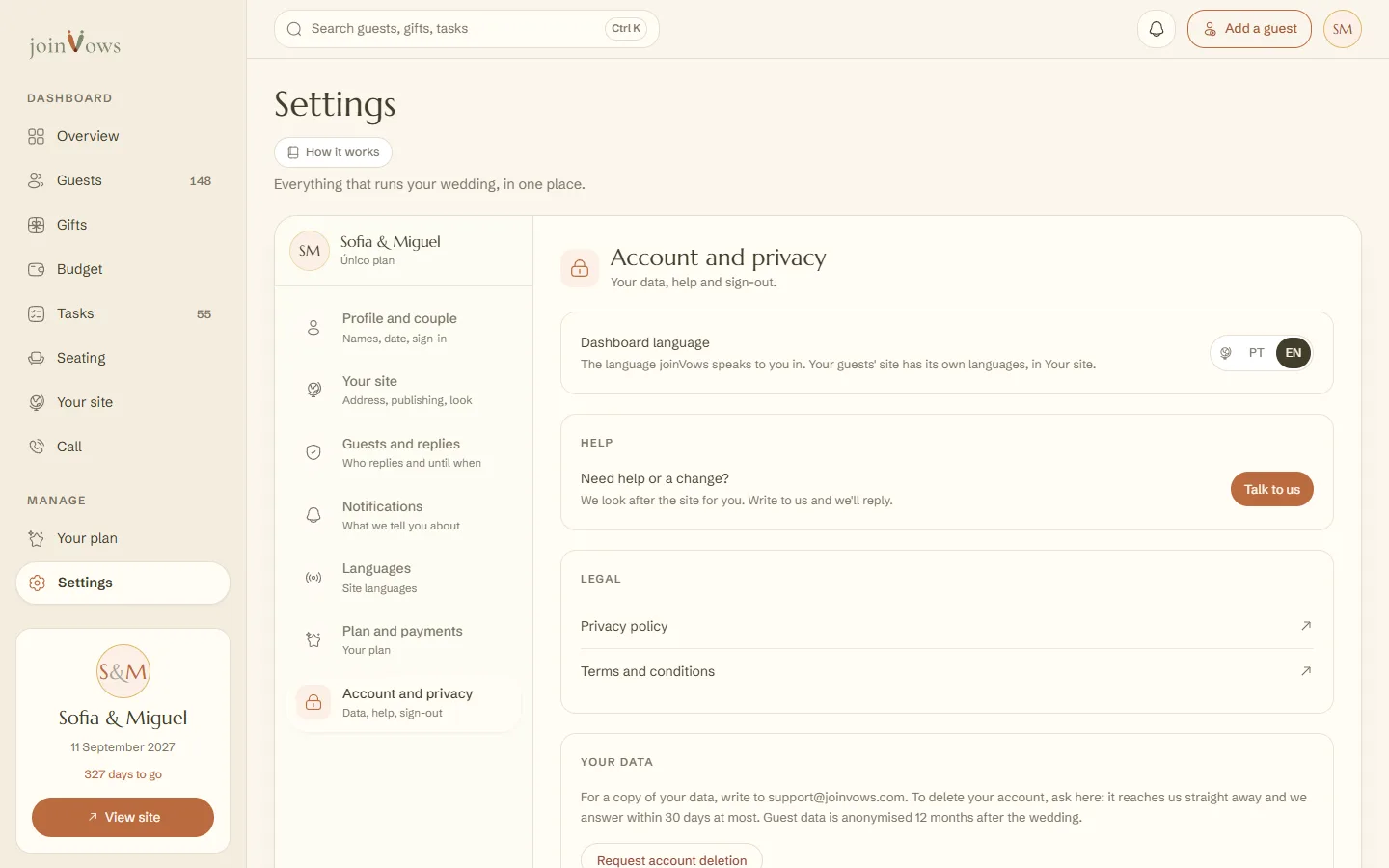
The same switch is on the sign-in screen, in the editor and on the joinvows.com website, where the English pages have their own address (joinvows.com/en). Your choice is saved and account emails arrive in that language.
FAQ
Does changing the dashboard language change the site?
No. Your guests' site keeps the languages you chose for it.
Are there languages other than Portuguese and English?
For the dashboard, only these two for now.
Did this guide help?
Don't have a site yet?
Create yours in two minutes. Free until you decide to publish.
Create our site (opens in a new tab)