
Delete your account and data
How to ask for your account to be deleted, or for a copy of your data.
2 min readUpdated 6 October 2026
In this guide
In a nutshell
- In Settings > Account and privacy, press Request account deletion and confirm.
- The request reaches us straight away. We answer within 30 days at most, and the dashboard shows by when.
- Nothing is deleted the moment you ask. While it waits for us, you can cancel it.
- 1
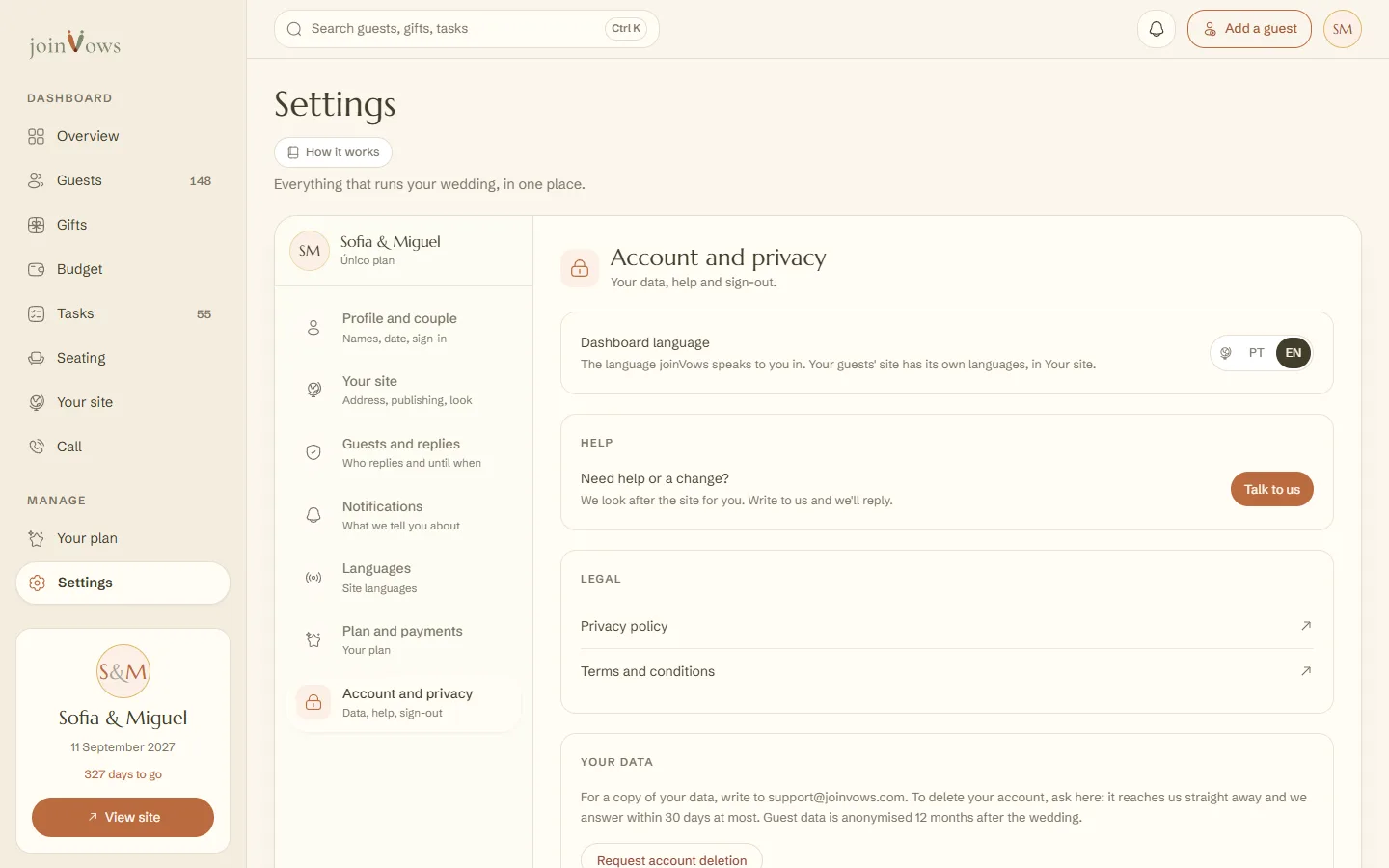
Open Account and privacy
In Settings, press Account and privacy.
- 2
Make the request
Under Your data, press Request account deletion. Add a reason if you like. Then press Yes, request deletion.
- 3
Wait for our answer
The request reaches our team straight away. Under Your data you see the date you asked and the date we answer by: 30 days at most. We may write to you to confirm the request is yours.
- 4
You get an email with the answer
When we delete the account, you get one last email saying it is done. If we cannot delete it yet, for example because of a legal obligation, the email says why.
We keep only the payment records the law requires (amount, date and reference), without your email.
Changed your mind
While the request waits for us, press Cancel the request under Your data. Your account stays as it is.
A copy of your data
You can ask for a copy of everything we keep about you, or for us to correct something. Write to support@joinvows.com.
FAQ
Does the request delete the account straight away?
No. The dashboard says we have your request and will answer within 30 days at most. We only delete after a person on our team has looked at it.
Do we also need to write to support?
No. The request in the dashboard reaches us straight away. Write to support@joinvows.com only if you want to add something.
Do we get our money back if we delete the account?
Only within the first 7 days after paying. See The 7-day refund.
We only want to sign out on this device.
In Account and privacy, press Sign out. It deletes nothing.
Did this guide help?
Don't have a site yet?
Create yours in two minutes. Free until you decide to publish.
Create our site (opens in a new tab)