
Travel and stay
For guests coming from afar: ways to get there and places to stay, with booking links.
3 min readUpdated 16 October 2026
In this guide
In a nutshell
- In the editor, open Travel and stay and switch on Show on the site.
- Add the ways to get there (car, train, plane) and the places to stay.
- Press Save. This part starts switched off until you switch it on.
This part is for guests who travel from afar. Since most weddings don't need it, it starts switched off.
Fill in the part
- 1
Open and switch on
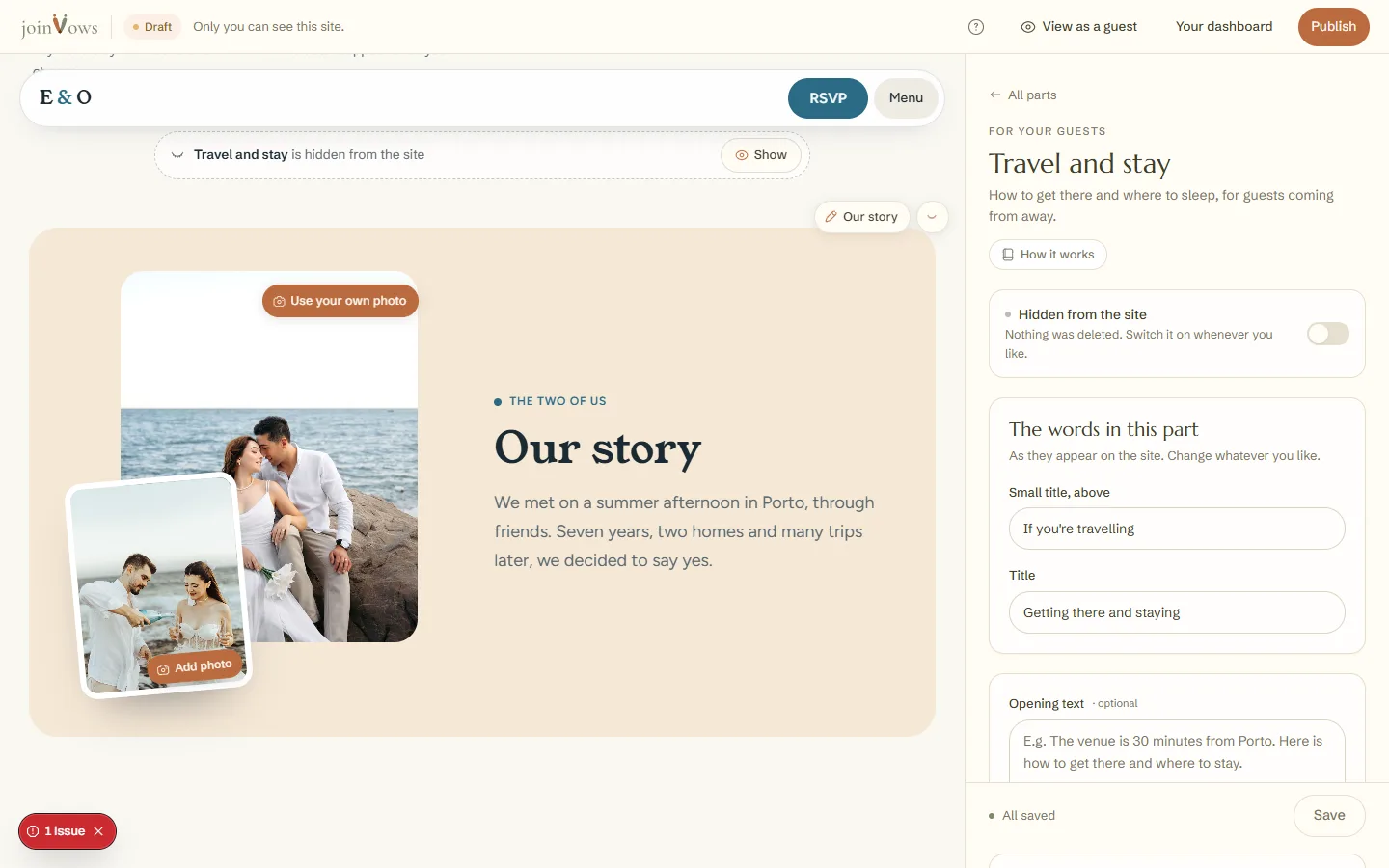
In the editor, tap Travel and stay in the list of parts. Switch on Show on the site.
- 2
How to get there
Under Add a way to get there, choose car, train, plane, bus, shuttle or taxi. Fill in From where, How long and the Directions. You can have up to 6.
- 3
Where to stay
Press Add a place to stay. Fill in the Name, Area, Distance, Price and Booking link. You can have up to 8.
- 4
Save
Press Save. The part appears on the site.
- Guests book directly, through the link you add. Nothing goes through us.
- On a site in two languages, this part is the same in both.
FAQ
How many hotels should I suggest?
Two to four near the party, at different prices, are enough for most guests.
I switched the part on and it doesn't show on the site. Why?
It needs at least one way to get there, one place to stay or an opening text saved.
Did this guide help?
Don't have a site yet?
Create yours in two minutes. Free until you decide to publish.
Create our site (opens in a new tab)