
Import your list from Excel
Paste your list from Excel or Google Sheets, check the columns and see the result before saving.
3 min readUpdated 6 October 2026
In this guide
In a nutshell
- In Guests, press Import from Excel.
- Copy the rows from Excel and paste them. Only the name column is required.
- Check what will happen and press Import.
If your list is already in a spreadsheet, you don't need to type it again. The import reads four columns: Name, Email, Group and Category. Only the name is required.
- 1
Open the import
In Guests, press Import from Excel at the top.
- 2
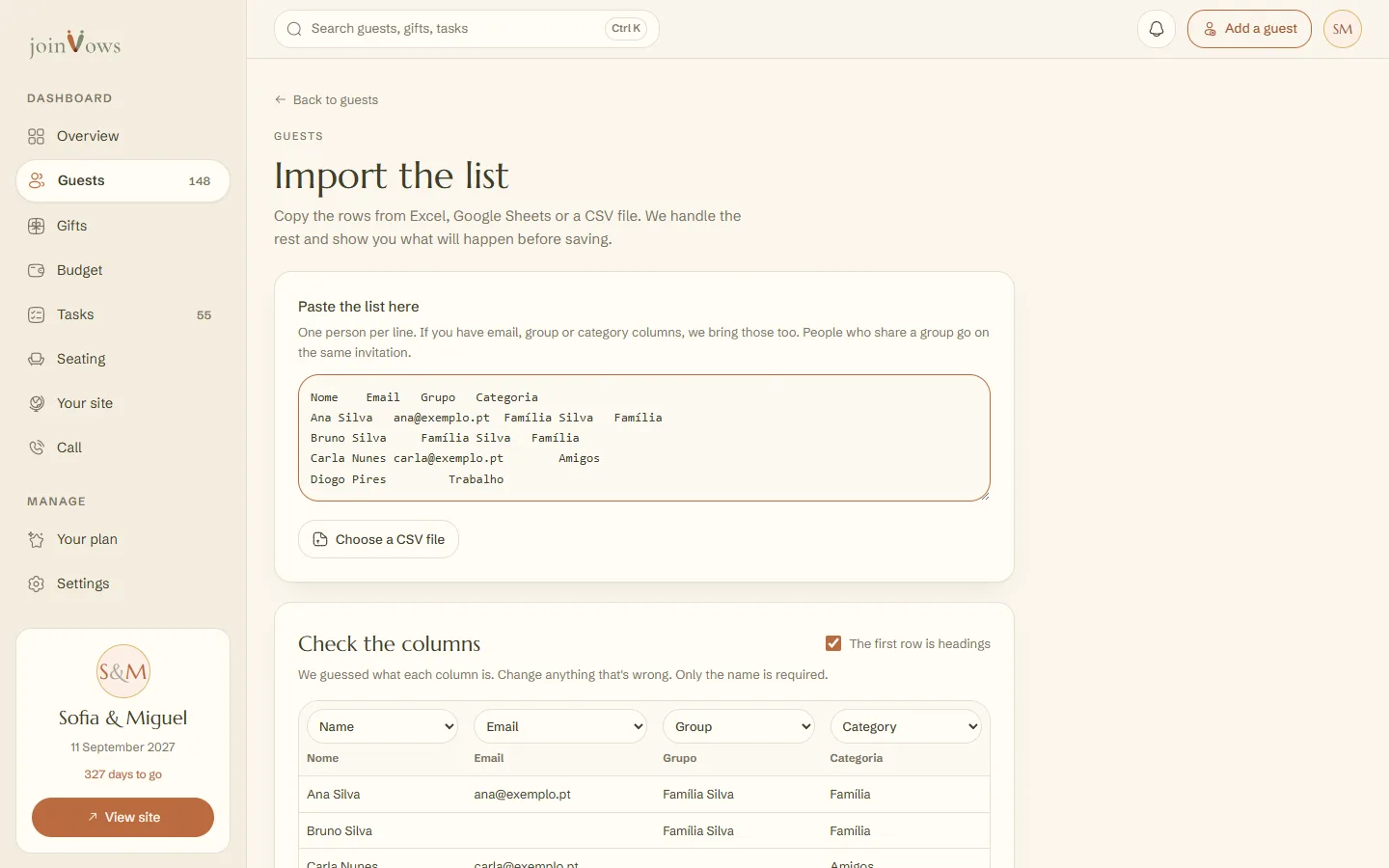
Paste the list
In Excel or Google Sheets, select the rows (with the headings, if you have them), copy and paste them into Paste the list here. You can also press Choose a CSV file.
- 3
Check the columns
In Check the columns, each column has a choice above it: Name, Email, Group, Category or Ignore. We guess from the headings. Change anything that's wrong, and untick The first row is headings if your list has no headings.
- 4
See the result and import
The What will happen box says how many people and invitations will be added and how many already existed. If it's right, press Import. The button shows the number of invitations.
Families on one invitation
People with the same value in the Group column (for example, Silva family) go on the same invitation. A column titled Invitation or Family also counts as the group. A person with no group gets an invitation of their own.
Good to know
- Nothing is sent to guests.
- Up to 1,000 rows at a time. If you have more, import the rest afterwards.
- Rows with no name are left out, and we tell you which ones.
- You can import the same list again without creating duplicates. An invitation that already exists (with the same email, or with no email and the same name) is left as it is.
- A CSV file can be up to 2 MB.
FAQ
Can I import phone numbers or dietary needs?
No. The import reads the name, email, group and category. Dietary needs are typed in each person's details, or arrive with the guest's reply.
My list has first name and surname in separate columns. Does that work?
The import uses a single column for the name. Join the two columns in Excel before copying, for example with the formula =A2&" "&B2.
Can I use a list from Google Sheets?
Yes. Select the rows, copy and paste them. It works the same way as Excel.
Did this guide help?
Don't have a site yet?
Create yours in two minutes. Free until you decide to publish.
Create our site (opens in a new tab)