
How to change your reply after you've confirmed
On the same device, press Change my reply. On another, use the link in your email. Without either, talk to the couple.
2 min readUpdated 10 October 2026
In a nutshell
- On the phone or computer you replied on, open the site and press Change my reply.
- On another device, open the Reply received email and press change reply.
- Change what you need and press Send reply.
- Without either, or after the deadline, talk to the couple.
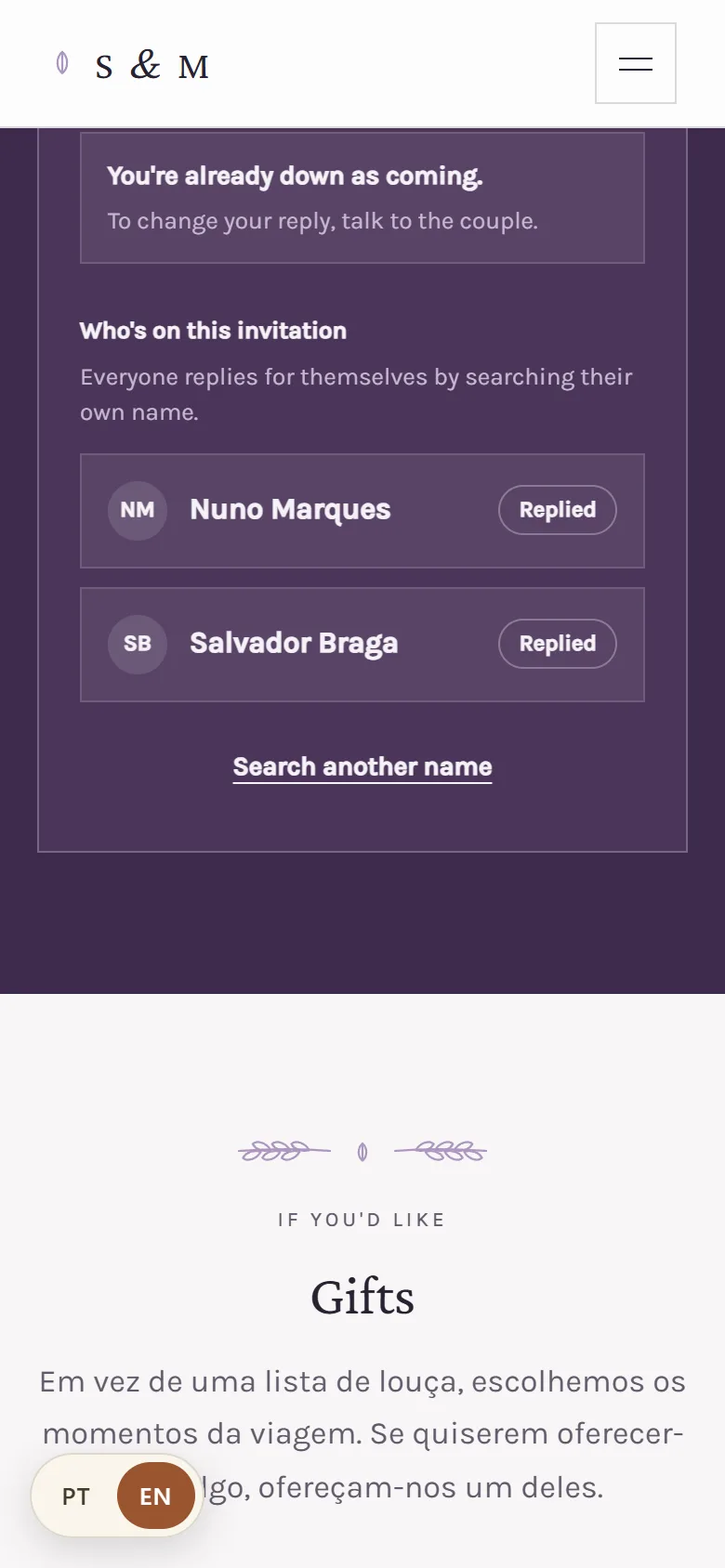
Once you've replied, searching your name on the site no longer changes your reply. It only shows what was saved, for example You've already confirmed. That way nobody can change your reply just by knowing your name. To change it, there are three ways.
1. On the same device
If you replied for the whole invitation, the phone or computer you replied on remembers it. Come back to the site on that device: above your name you'll see You already replied on this device and the Change my reply button. Press it, change what you need and press Send reply.
2. With the link in your email
- 1
Find your confirmation email
The subject is Reply received. If you can't find it, check your spam folder.
- 2
Press change reply
The site opens your invitation, with everyone on it. You can change each person's reply.
- 3
Press Send reply
The new reply replaces the old one and the couple sees it straight away.
The link goes to whoever replies for the invitation and leaves an email when replying. There's one link per invitation: keep the email, because it works on any device for every change until the deadline.
3. Through the couple
If you don't have the link, if someone else replied for you, or if the deadline has passed, talk to the couple. They can change your reply for you, send you a new link or give you more time.
FAQ
I didn't get any email after replying. Why?
The email only goes out if you typed your email when replying. Check your spam folder too. If it isn't there, ask the couple to send you the link.
The link says it's no longer valid. What do I do?
The couple sent a new link, which replaces this one. Look for the most recent email or talk to them.
Can I change my reply after the deadline?
Not through the site. Talk to the couple: they can change it for you or extend your deadline.
Did this guide help?
Don't have a site yet?
Create yours in two minutes. Free until you decide to publish.
Create our site (opens in a new tab)