
Budget: plan and log payments
Say how much you plan to spend, see it split into categories and log every payment.
4 min readUpdated 10 October 2026
In a nutshell
- In Budget, type the total and how many guests you expect. We split it into categories.
- Each time you agree or pay for something, press Add payment.
- It is on the Elegante and Único plans.
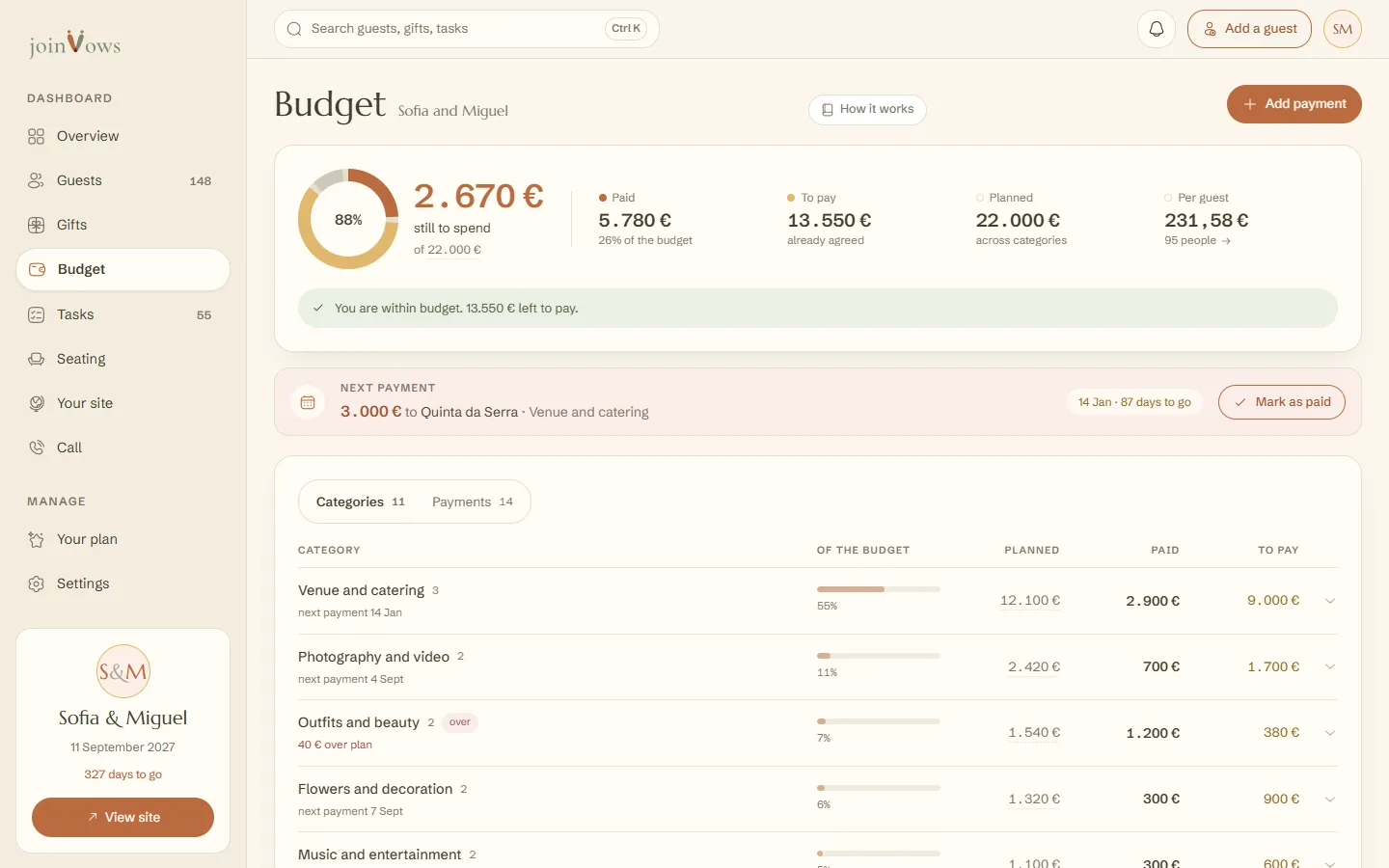
Budget shows how much you still have to spend, what you've paid, what is left to pay and what the wedding costs per guest.
Create the budget
- 1
Say how much you plan to spend
Type the Total budget and How many guests you expect. A rough number is enough. If you already have guests on your list, we suggest that number.
- 2
See the split
On the right, How it is split shows the amounts in euros: 55% for venue and catering, 11% for photography and video, and so on, with 5% for contingency. There are 11 categories.
- 3
Create the budget
Press Create budget. If you'd rather make your own categories, press I would rather create the categories myself.
Log a payment
- 1
Open the form
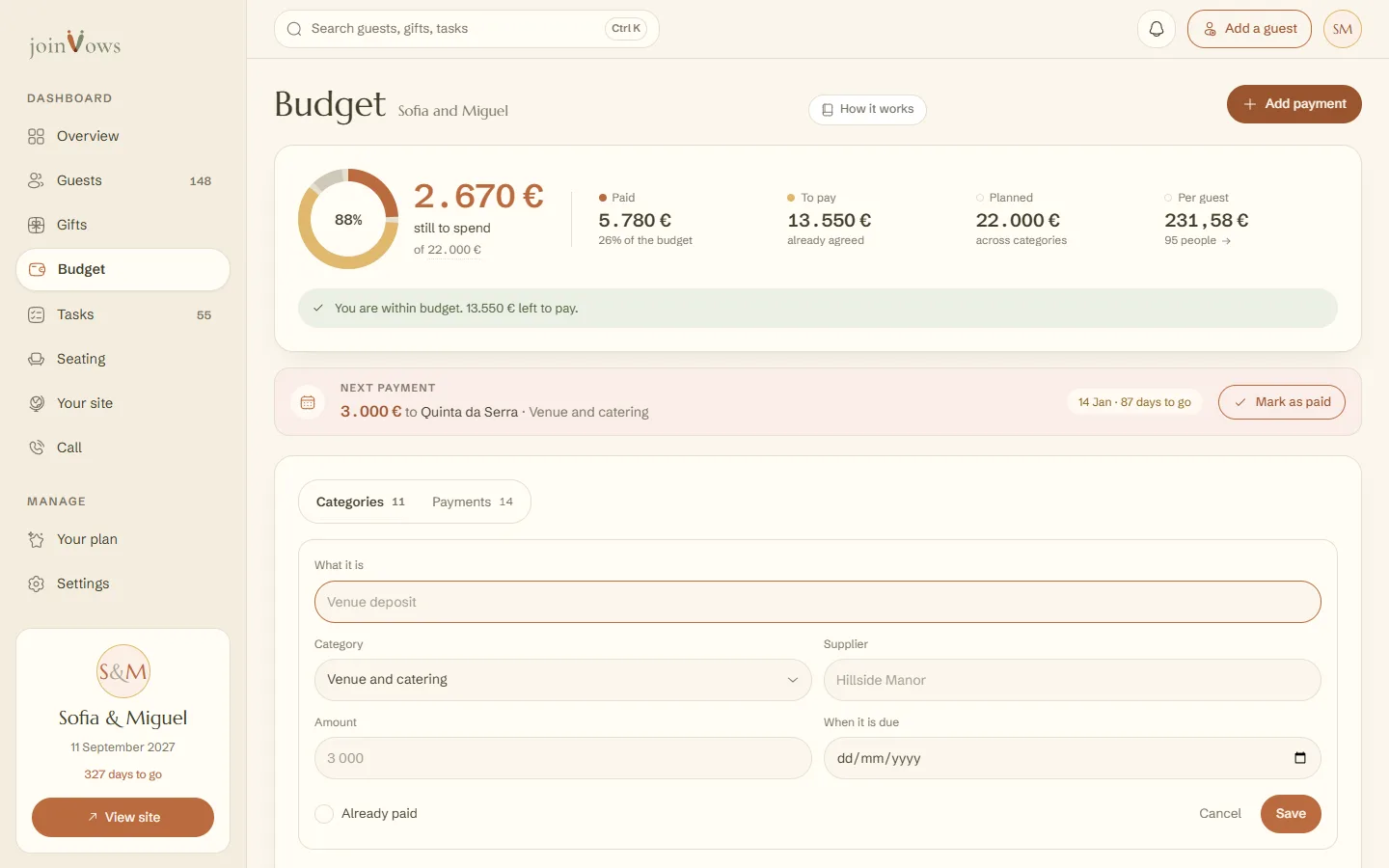
Press Add payment at the top. You can also open a category and press the same button inside it.
- 2
Fill in what you know
What it is (for example, the venue deposit), the Category, the Supplier, the Amount and When it is due. If you've already paid, tick Already paid. Press Save.
- 3
Mark it when you pay
The nearest payment shows in Next payment, with a Mark as paid button. In the list, tap the box next to the payment.
What the numbers mean
- Paid: what has already left your account.
- To pay: what you've agreed with suppliers and not paid yet.
- Planned: the sum of what you planned for each category. If it goes over the total, we tell you.
- Per guest: the total divided by the people who confirmed. With no confirmations, we use your guest list, and with no list, your estimate.
To change the total, tap the amount under still to spend. To change a category's planned amount, tap its value. In Categories you can Add category or delete one. In Payments you see everything to pay and already paid.
FAQ
If we change the wedding date, do the payment dates change?
Unpaid payments move by the same number of days. Payments already paid stay as they are. If a date would land in the past, it lands on today.
How much does a wedding in Portugal cost per person?
It varies a lot with the region and the venue. The venue and catering are charged per person and usually take more than half of the total, so ask for that price first.
Can we pay suppliers through joinVows?
No. Budget is for keeping track of what you pay. You pay each supplier directly.
Can guests see our budget?
No. Your budget is only in your dashboard and never shows on the site.
Did this guide help?
Don't have a site yet?
Create yours in two minutes. Free until you decide to publish.
Create our site (opens in a new tab)