
Create your site in two minutes
From account to a site ready to edit: your names, the date, the address and the design.
3 min readUpdated 18 October 2026
In a nutshell
- On joinvows.com, press Create our site.
- Type your names, choose a design and your site opens ready to edit.
- It is free until you decide to publish.
Creating your account and your site is free. You only pay when you decide to put the site online for your guests. Until then, only you can see it.
1. Create your account
On joinvows.com, press Create our site. You can sign in with Google in one tap, or type your name, email and a password.
2. Your names and the design
- 1
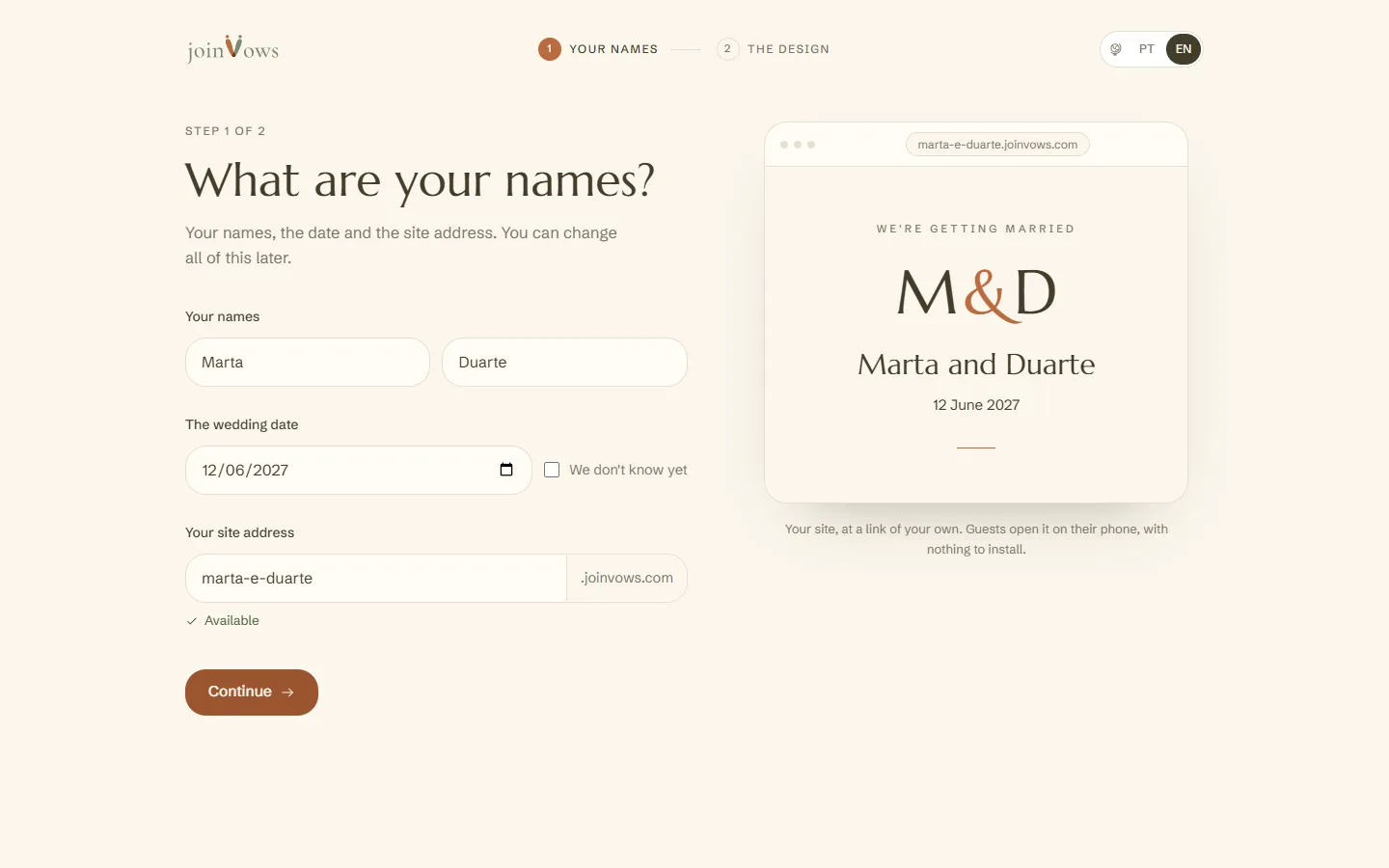
Type your names and the date
The date can wait. Your site's address is made from your names, for example ana-e-rui.joinvows.com. You can change it before you continue.
- 2
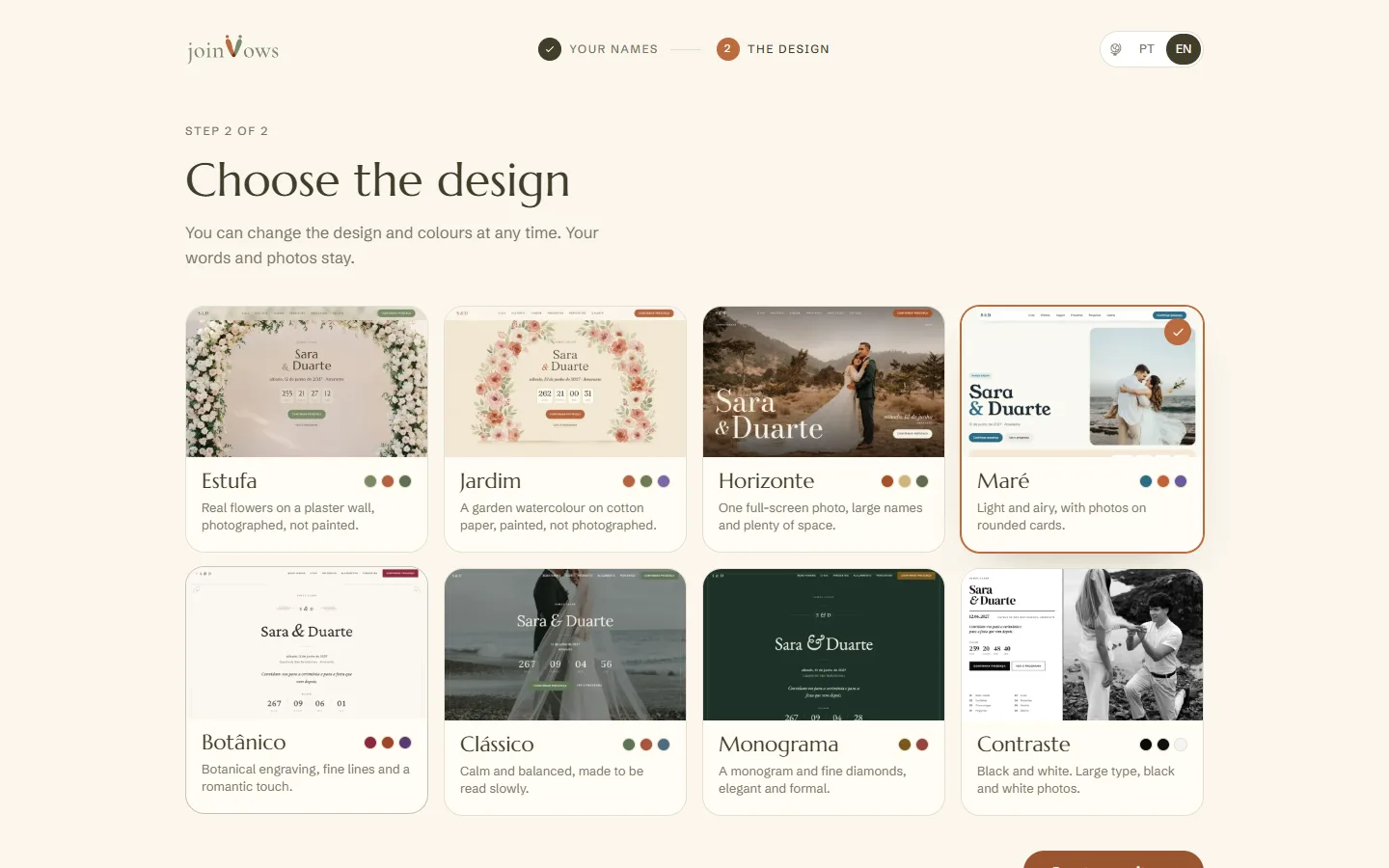
Choose a design
Tap a design to preview it. You can change the design and colours later without losing anything you wrote.
- 3
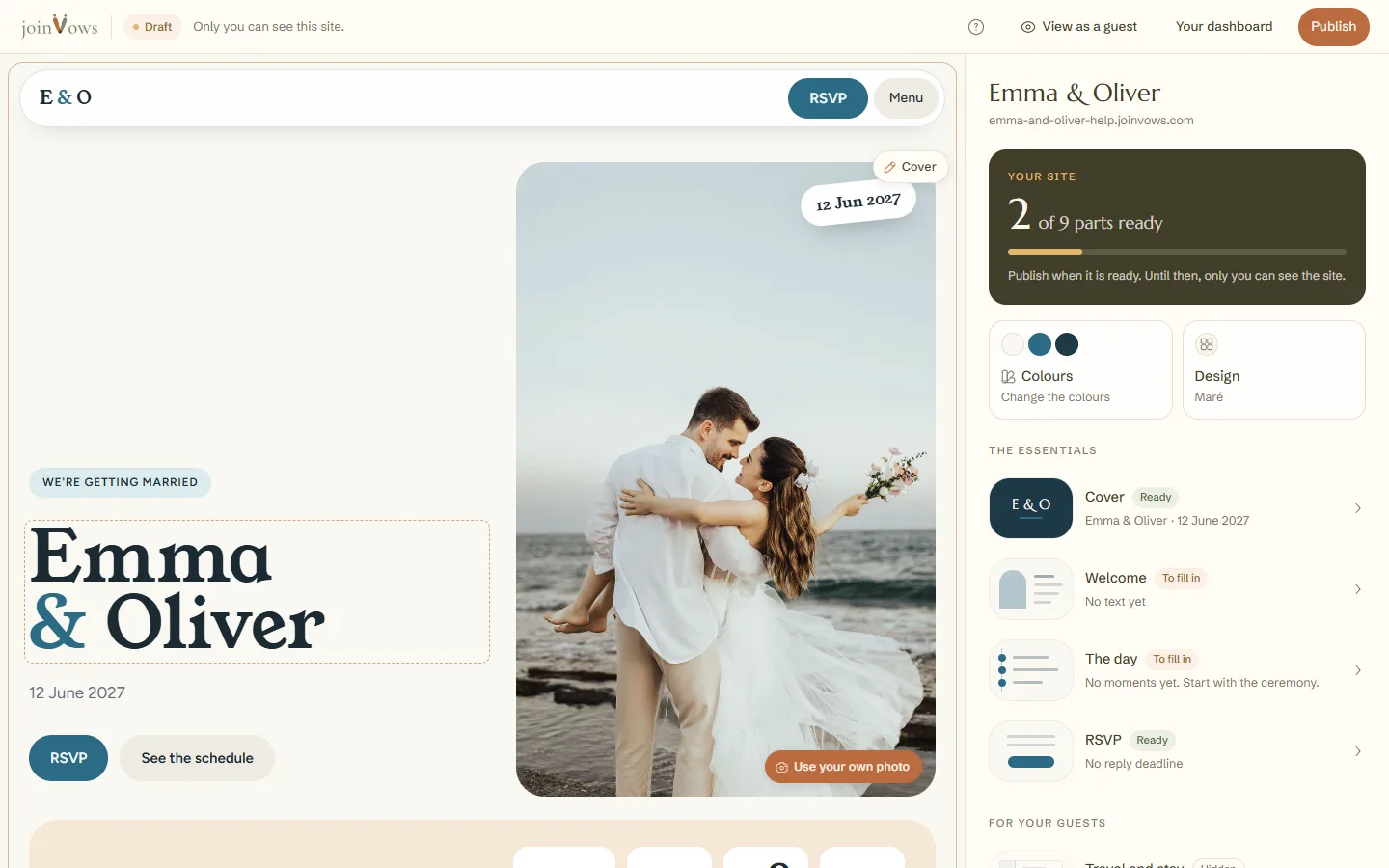
Your site opens, ready to edit
Your site appears with example text in each part. Tap any text or photo to change it. This first time, the welcome window also asks for your mobile number, so we can help you on WhatsApp if you need us. It is optional: leave it empty and press Start editing.
FAQ
Does creating the site cost anything?
No. Creating your account and site is free. You only pay when you want it live for your guests.
Can guests see the site before we publish it?
No. Until you publish, only you can see it.
Can we change the design later?
Yes. You can change the design and colours at any time without losing anything you wrote.
Did this guide help?
Don't have a site yet?
Create yours in two minutes. Free until you decide to publish.
Create our site (opens in a new tab)